Compliance Without Guesswork: How the Intoxalock Mobile App Keeps You On Top of IID Rules
.jpg?language=en-US)
This blog is for general information only and is not legal advice. Always consult a qualified DUI or criminal defense attorney and your monitoring authority about your specific situation. If you’re convicted of a DUI and need to learn more about ignition interlocks, call our team at (888) 283-5899.
The Intoxalock Mobile App is designed with one goal in mind: to make everyday ignition interlock program management simpler.
Getting an ignition interlock device (IID) is a big step in your DUI journey. While this device can help you meet court or state requirements, it may feel overwhelming to keep track of payments, appointments, and other responsibilities. If you miss important deadlines or forget routine maintenance, it could lead to ignition interlock program interruptions, financial penalties, and extra stress you don’t need.
You have options to make the process easier, including technology such as the Intoxalock Mobile App. The app provides a convenient way to manage several aspects of your IID program right from your smartphone. You can monitor your account information, find helpful video tutorials, and request your next calibration all in one place. These services can help you stay organized and focus on the future.
What Is the Intoxalock Mobile App?
The Intoxalock Mobile App is a free mobile application that’s designed to help you manage your ignition interlock program more efficiently. It’s available on both Android and iOS devices and can serve as a central hub for important information.
Need the App? Install It for Free.
.png)

Intoxalock has an Excellent rating on Trustpilot.
Instead of trying to keep track of all your paperwork or hunting for answers online, you can use the free Intoxalock Mobile App to quickly find the info you need. That could be your next calibration date, your account details, or specifics on how to use your IID correctly. The goal of the app is to make everyday program management simpler.
How Does the Intoxalock App Help Support Your IID Experience?
Several features may help you stay informed during your ignition interlock program.
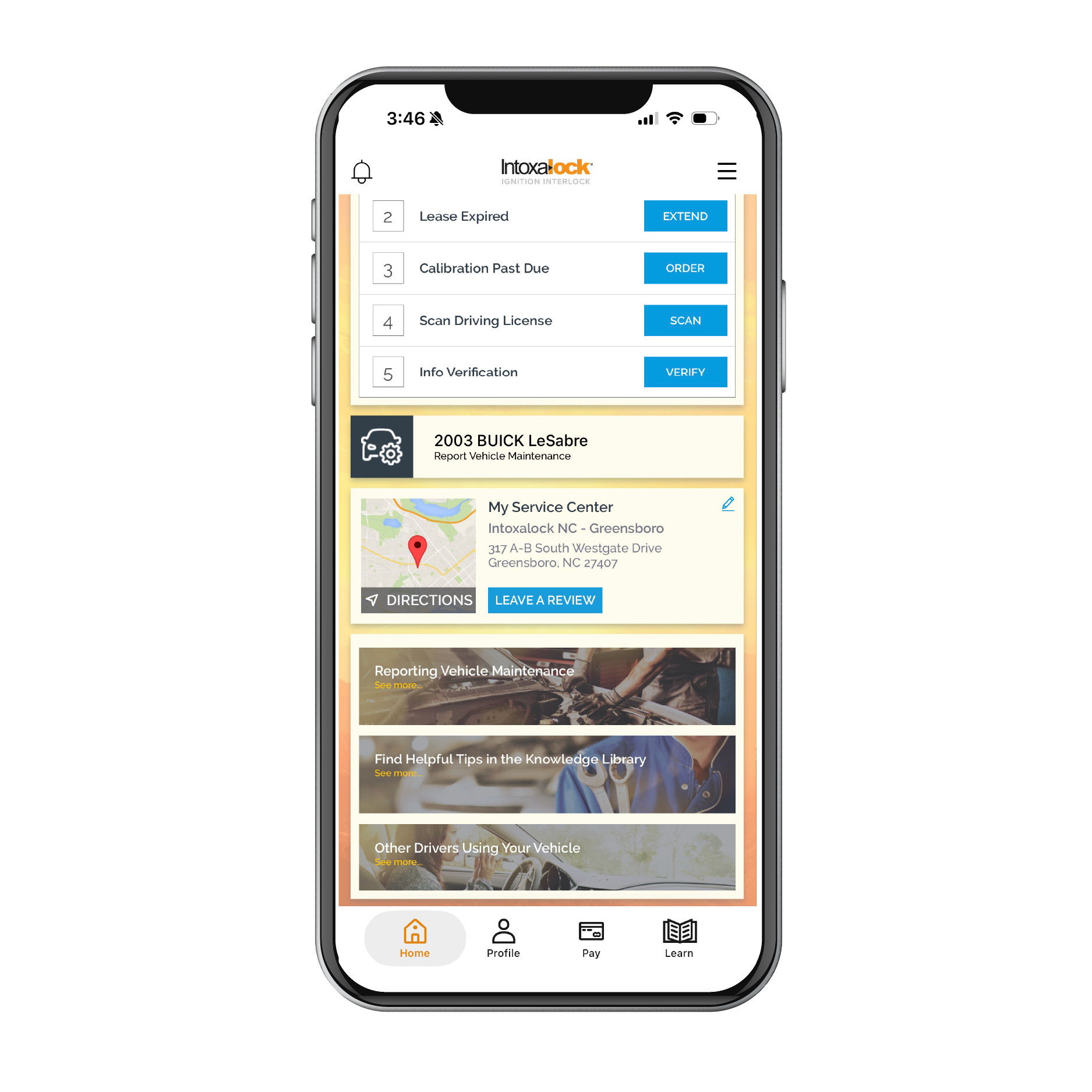
Easy-to-Follow Account Statistics
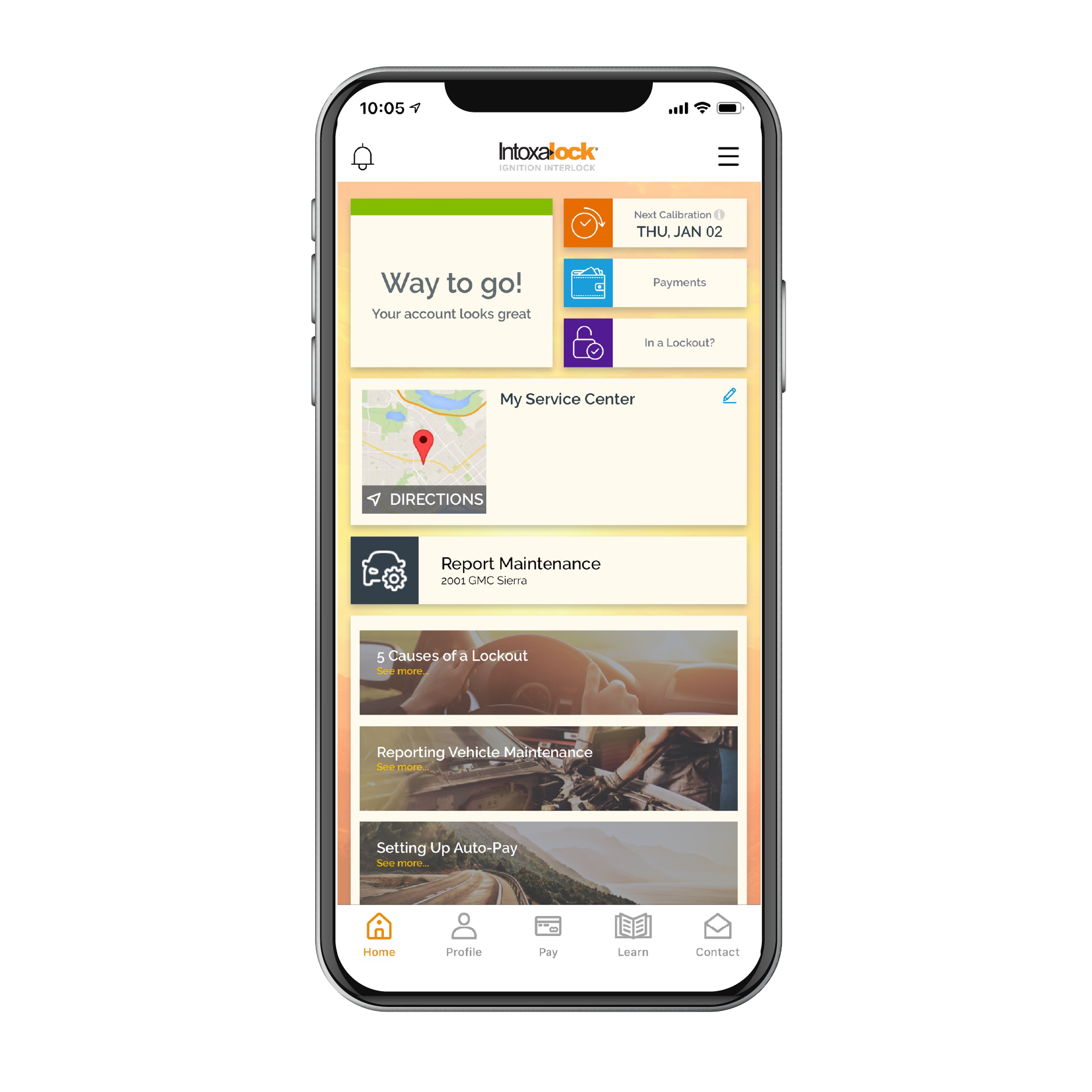
With the Intoxalock app, you’ll have an overview of your account, which makes it easy to monitor important IID program information. You can find all your account details in one convenient location, so you can stay organized and avoid surprises.
You won’t have to wonder where you stand, and you can quickly check your account whenever you need to. That may help you feel confident you’re meeting your program's requirements.
Helpful Tips and Tutorials for Using Your IID
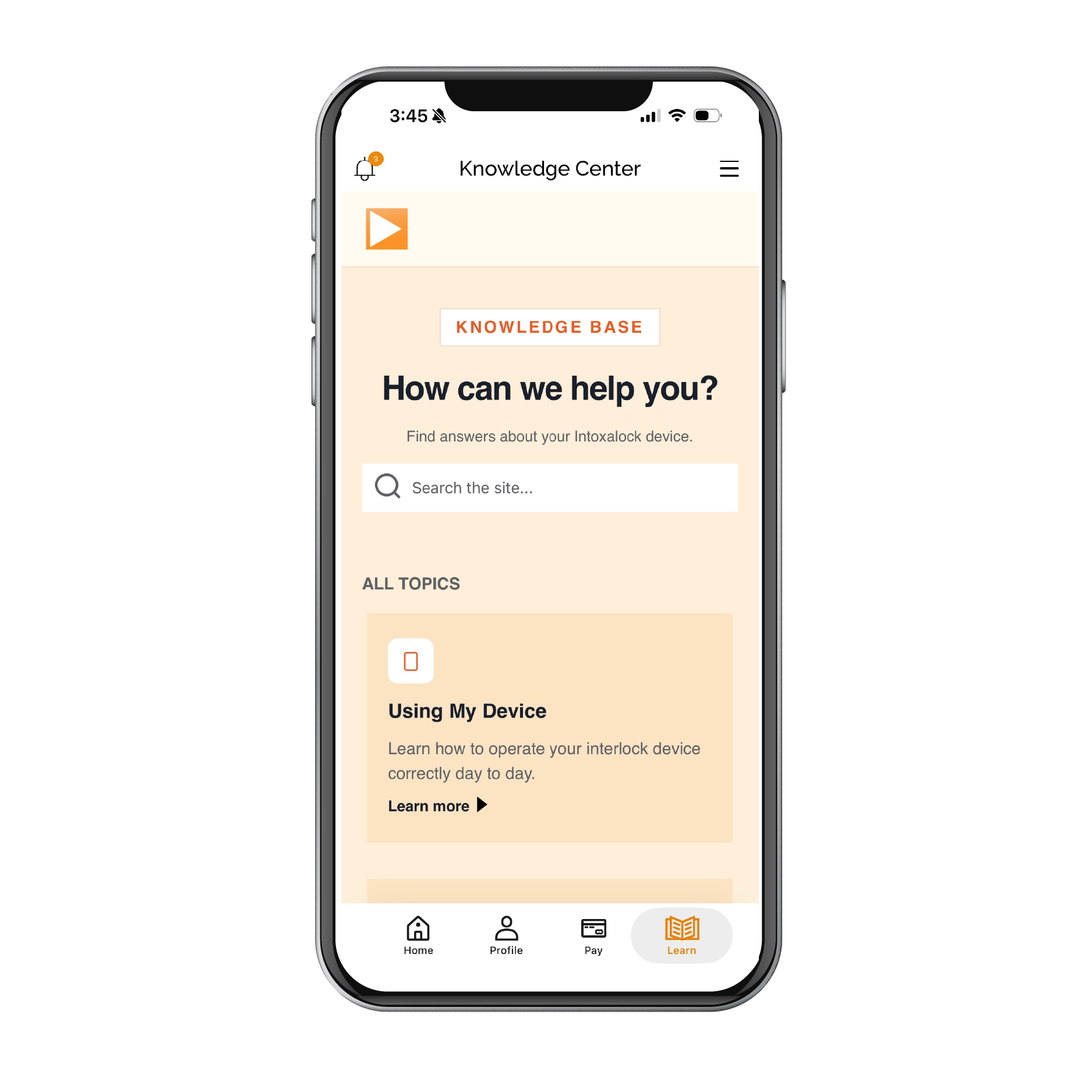
If you’re new to an ignition interlock device, learning how to use it correctly can take some practice. The Intoxalock Mobile App includes helpful tips, educational resources, and video tutorials that walk you through common questions and show you the best practices.
For example, you can learn about:
- Proper breath sample techniques
- Routine maintenance expectations
- Device operation
- Common troubleshooting tips
- Answers to frequently asked questions
When you have this information easily available, it can help to reduce your uncertainty, especially during the first few weeks of your program.
Service Center Support
Like any state-regulated IID program, you'll need regular calibration appointments as part of your ignition interlock program. With the Intoxalock app, you can access service center information, so you know where to take your vehicle for scheduled IID maintenance. You can also change your service center from the app if you want to select another location.
If you need help with your device, having easy access to service information makes the process smoother and reduces the time you’ll spend searching for answers.
Did You Know? With nearly 6,000 service center locations, Intoxalock has the largest nationwide network to support your IID journey and provide convenient service when you need it most.
Pay Statements in Seconds
Managing payments is a lot easier when you can do a variety of tasks on your phone. With the app, you can review your statements and make payments quickly without calling customer service or logging in to multiple portals. This convenience can help you keep your account current and reduce the chance of missed payments.
What Are the Benefits of the Intoxalock Mobile App?
Using the Intoxalock App is convenient and can help simplify your IID experience from installation through program completion.
It’s Easy to Use
The Intoxalock app is designed with simplicity in mind and has a user-friendly layout that makes it quick and easy to find the information you need. Whether you’re reviewing instructional materials or checking your account, you can navigate the app with little difficulty, even if you’re not tech-savvy.
It’s Convenient
You can access a lot of what you need right on your smartphone. That way, you’ll have important info when you need it, no matter where you are.
It Helps You Stay on Top of Calibration Appointments
Calibration appointments are required for most ignition interlock devices, and missing one could cause complications with your program. With the app, you can stay aware of upcoming service needs, making it easier to plan and remain compliant with your state’s requirements.
It Teaches You How to Make the Most of Your IID
Learning how your IID works can make the experience smoother. The Intoxalock app provides educational content to help you understand how the device works, avoid common mistakes, and feel more confident, which may make a significant difference during your interlock experience.
How Do I Download the Intoxalock App?
Downloading the app is simple. You can go to Apple’s App Store (for iOS devices) or the Google Play Store (for Android devices) and search for Intoxalock. Download the free app, install it on your device, and sign in using your account information.
Once you’re logged in, you can access your account details, payment options, educational information, and other tools to help you manage your ignition interlock experience.
Make Progress with Intoxalock
Navigating an ignition interlock program doesn’t have to be confusing. The Intoxalock Mobile App provides resources to help you stay organized, manage your account, understand your device, and keep track of important program requirements.
Whether you’re just starting your IID program or nearing its completion, the Intoxalock team is available as a resource to help answer your questions and support you throughout the process. You can learn more about how the Intoxalock app works by contacting us online or calling us at (888) 283-5899.
By combining helpful technology with experienced customer support, we’ll help you focus on what matters most, so you can make steady progress toward completing your program and move forward with confidence.
FAQs: Intoxalock Mobile App
This is for general information only and is not legal advice. Always consult a qualified attorney for your specific situation. If you want to learn more about ignition interlocks, call our team at (888) 283-5899.
How do tools like the Intoxalock App help with an IID requirement?
Digital tools can help reduce confusion and may make it easier to stay organized throughout your ignition interlock program. Mobile apps, educational resources, appointment reminders, and alcohol monitoring devices can all help support compliance and informed decision-making.
How does the Intoxalock Mobile App specifically help with an IID program?
The Intoxalock App can help you manage key aspects of your IID program by providing access to your account information, payment options, educational tutorials, service center addresses and contact information, and appointment details, all in one place.
What operating systems does the Intoxalock App work on?
The Intoxalock App is available for both iOS and Android devices, so it’s accessible to most smartphone users.
Can I manage my account and payments from the Intoxalock App?
Yes, you can review your account information, view statements, and make payments directly through the Intoxalock App. It’s a convenient way to stay current.
I am already an Intoxalock customer. Should I use the App or MyAccount?
Both options provide access to the same account information, so the right choice depends on the device you use most. The Intoxalock App is designed for smartphones and can send real-time notifications, while MyAccount is a browser-based option that works best on a computer.
Can the Intoxalock App teach me how to use my IID?
The app includes resources, tutorials, and frequently asked questions that help explain how to use your IID properly and avoid common problems. However, Intoxalock service center technicians provide training on how to use your IID during installation appointments. Find out what’s covered in that training with this article.
What do I do if the Intoxalock App isn’t working?
If you’re having technical issues, make sure you have a stable internet connection and that you’re using the latest version of the app. If that doesn’t resolve the problem, contact the Intoxalock customer support team for assistance. They can troubleshoot the issue and answer questions about your account and device.
Need the App? Install Now for Free.